Jump to main content Go to search page
Home >
Reporting >
Guidance for reporting from entities subject to financial reporting oversight (KRT-1003) >
Guide: How to log in to Altinn.no

Guide: How to log in to Altinn.no

Last published: 2 June 2021

If you do not have a user, please read "Guide: How to create user in Altinn.no" first.

1) Go to www.altinn.no (link is to english version for your convenience)
2) If in Norwegian, choose "Language" and change to "English".
3) Select "Log In"
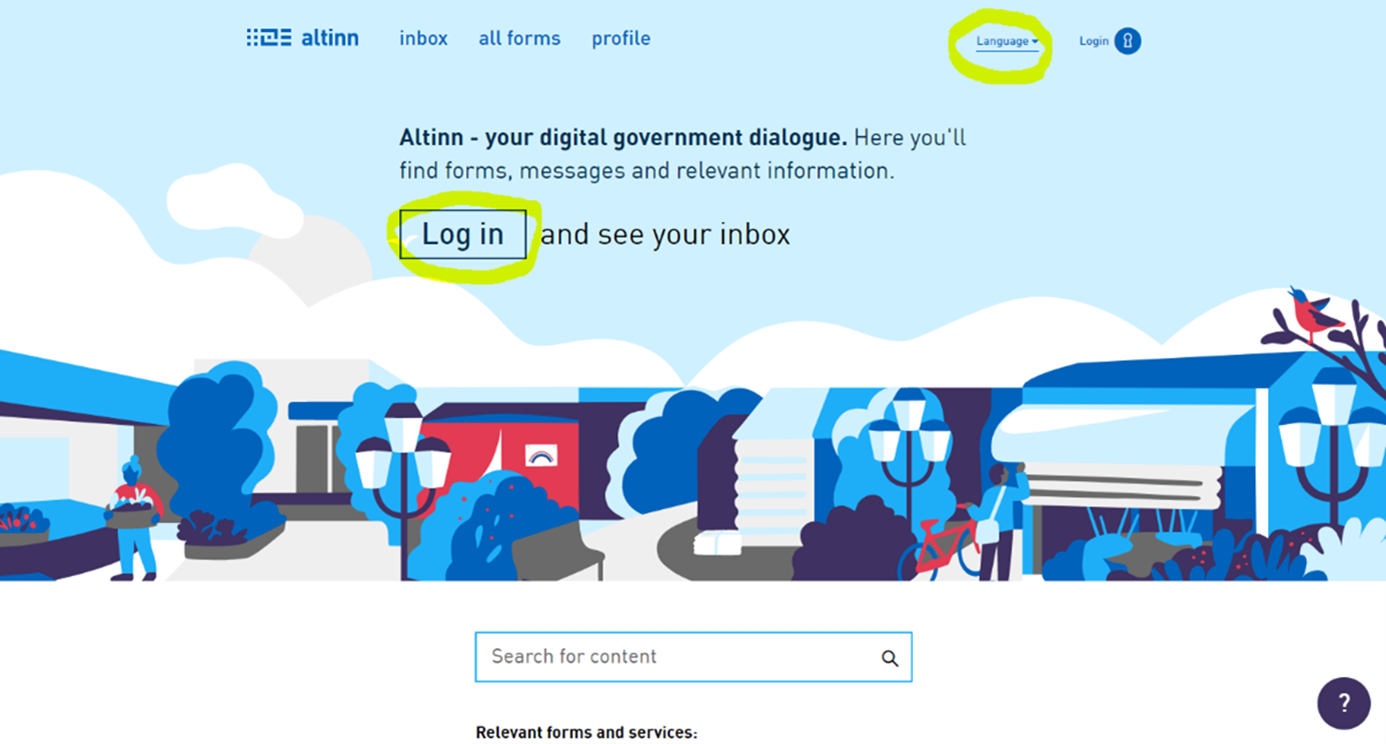
Photo: Select "Log In"

4) You will be directed to a new page. Select "Proceed to alternative log-in methods" (in Norwegian: "gå videre til flere innloggingsmetoder")
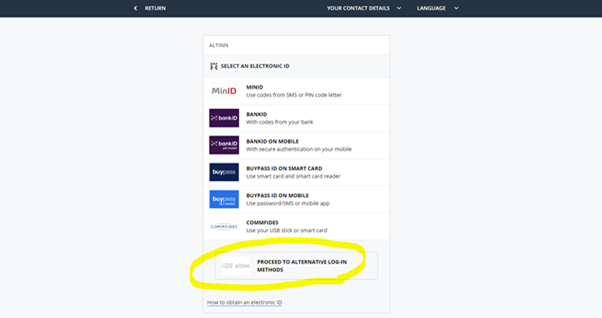
Photo: Select "Proceed to alternative log-in methods"

5) You will be directed to a new page. Select "Log in without national identity number/D-number" (In Norwegian: "innlogging uten fødselsnummer")
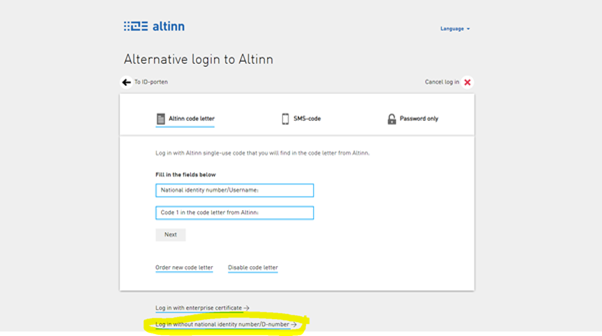
Photo:  Select "Log in without national identity number/D-number"

6) You will be directed to a new page. Then log in with username and password
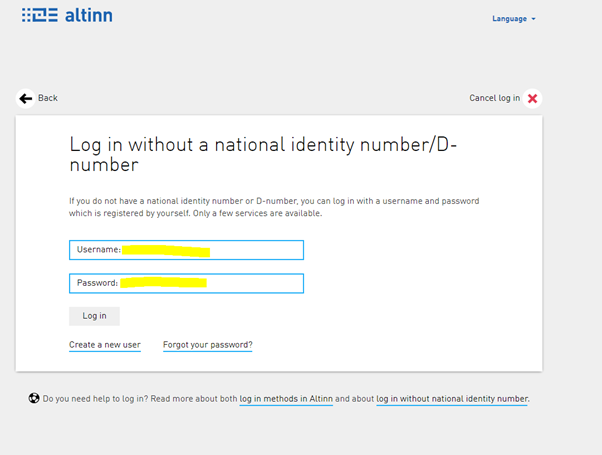
Photo: Log in with username and password

Related

  • Reporting from entities subject to financial reporting oversight (KRT-1003)
  • Guide: How to create a user in Altinn.no

Contact

KRT1003-rapportering@finanstilsynet.no

To the top of the page expand_less

Share this page:

  • Facebook
  • LinkedIn
Sign up for news updates
To the top of the page expand_less